Create a Pixar-Style 3D Character from a Photo
listContentsexpand_more
Sample Images
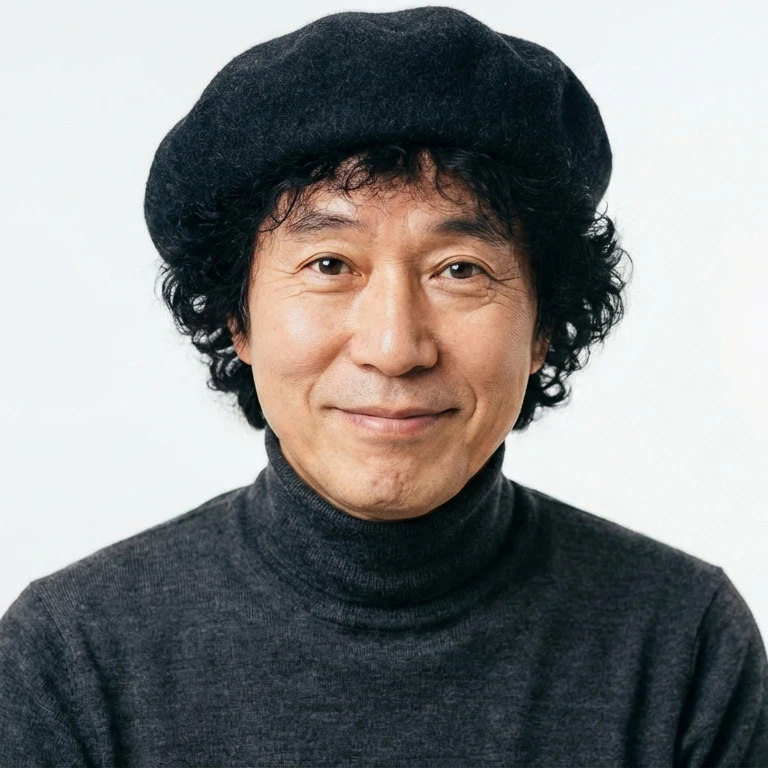
(Original)
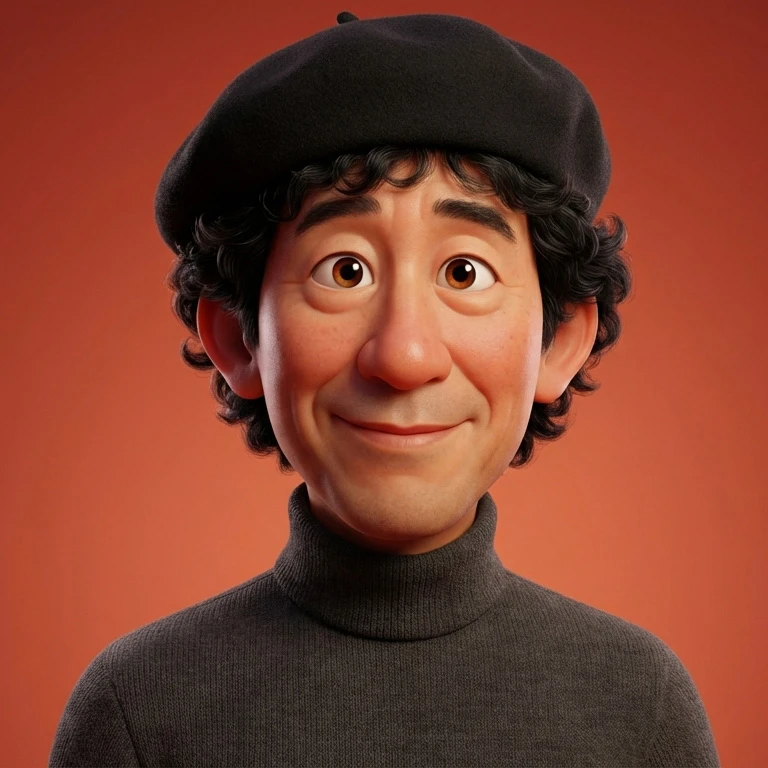
(Result)
Prompt Used
3D caricature portrait of attached image. Pixar/DreamWorks style — expressive eyes, slightly oversized head, exaggerated ears & nose, realistic skin shading with soft subsurface scattering, detailed hair, gentle warm smile, smooth polished materials, subtle fabric texture, soft ambient lighting, warm reddish-orange gradient background — balanced realism and stylized charm.
Prompt Breakdown
Most of this prompt is self-explanatory, but here are the terms that may be less familiar:
-
soft subsurface scatteringA 3D rendering technique that simulates how light penetrates and scatters beneath the skin surface — giving it a natural, slightly translucent look instead of appearing flat or plastic.
-
soft ambient lightingDiffused, directionless light that wraps around the subject evenly. Avoids harsh shadows or blown-out highlights that can make CG characters look unnatural.
-
balanced realism and stylized charmKeeps the result grounded enough to be recognizable as a real person, while still looking like an animated character — not a photorealistic render, not a flat cartoon.
Not Sure How to Write Prompts?
Writing prompts from scratch every time takes more effort than you might expect. Filling in each element one by one can turn into quite a task.
With the photo-specific prompt generator Lumina Promputus, you can automatically create high-quality prompts just by selecting your preferred mood and style.
How to Customize Your Results
1) Make It Look More Like You
- Add to the end of your prompt:
— preserve likeness, keep facial identity, same hairstyle
2) Find Your Exaggeration Level
-
Try changing the intensity of
exaggeratedand compare:slightly/moderately/highly
3) Make It Cuter
-
slightly oversized head→a bit more oversized headAdd
bigger eyes
4) Make It More Realistic
-
caricature→stylized portraitRemove
exaggerated ears & nose
Additional Examples